Routing
Projectors
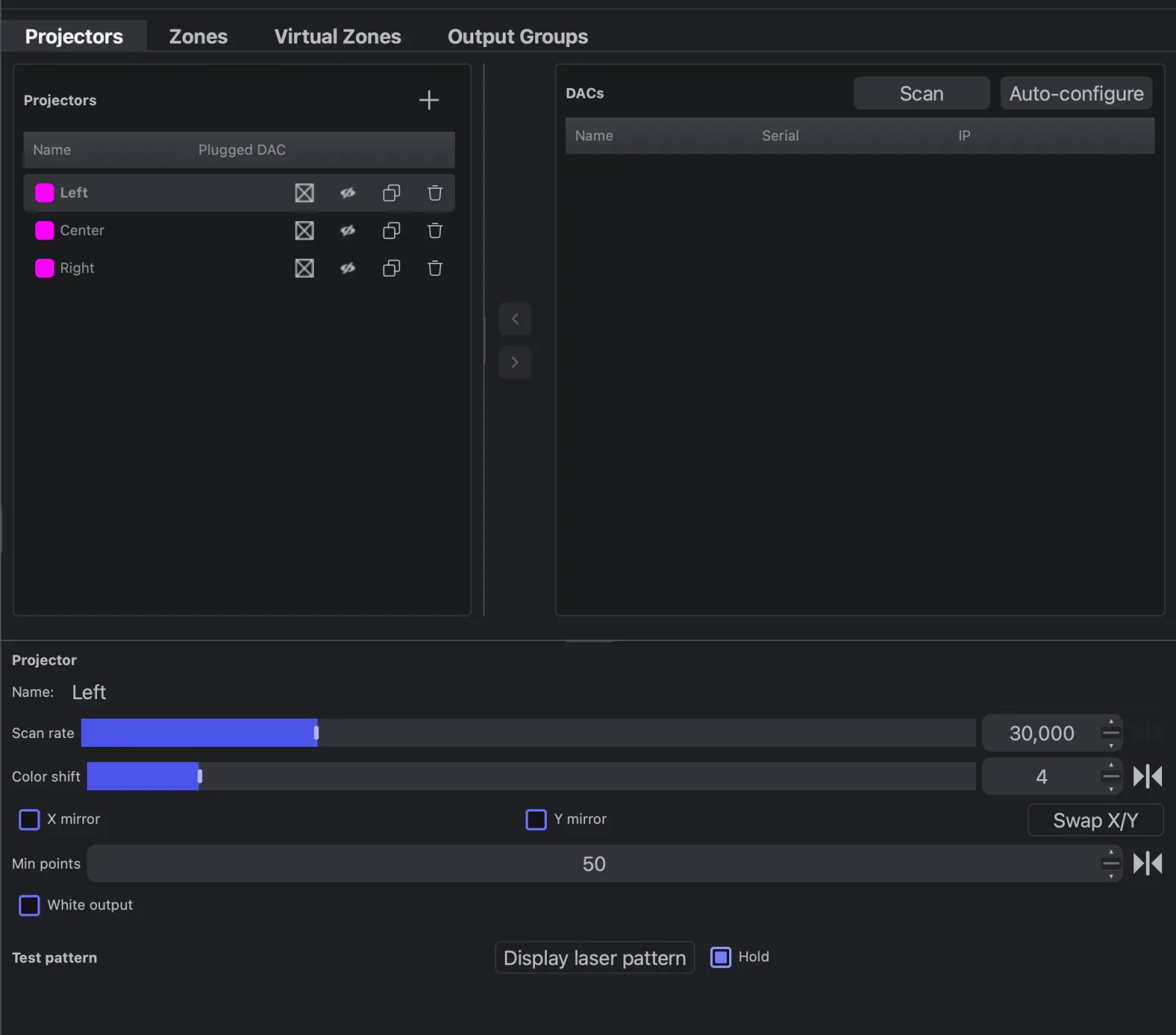
Add a projector for each laser and match it to the hardware.
A projector in Live Alchemy stands for one physical laser, or one video picture on a Video DAC. It collects the zones routed to it and sends them to its DAC.
How a projector draws
A projector draws every zone routed to it one after another in each frame, joined by blanked moves. Its scan rate is shared between those zones: two busy zones on one laser each get about half the points, and flicker sooner than one zone alone.
The projector's settings apply to everything it draws, after each zone's own mask, Power Map and geometry. A projector on a Video DAC also shows a Video DAC section below its settings; see Video DACs.
Set up a projector
- On the Projectors tab, click + on the Projectors table to add a projector, or let Auto-configure add one per DAC (see DACs).
- Select the projector, select its DAC in the DACs table, and click the arrow that points to the projector.
- Set Scan rate to what the projector is rated for.
- Turn on Display laser pattern and set X mirror, Y mirror and Swap X/Y until the pattern reads the right way round. The output must be armed; with Hold off the pattern shows only while you hold the button.
- Adjust Color shift until colours sit on their lines.
- Route zones to it on the Zones tab. See Zones.
- Place it in the stage preview where it stands on stage: multi-zone effects read its position. See How routing works.
Settings that need care
| Control | What it does |
|---|---|
| Scan rate | Points per second sent to the projector, 5,000–100,000 (default 30,000). Too high for the scanners distorts shapes; lower is safer but flickers sooner |
| Color shift | Delays colour against position, 0–32 points, so colour lines up with the slower scanners. Default 0 |
| Min points | Pads short frames with blanked points up to this number (0–99, default 50), so a frame with very few points isn't redrawn too fast |
| White output | Sends every point as white at the brightness of its strongest colour, for single-colour projectors |
| Colour calibration | Keeps colours true at every brightness, and saves or imports these settings as a projector profile. Off by default. See Colour calibration |