Show
Build the show in Loop Alchemy and render it once. Then run it anywhere on a dedicated player that does one job: playback, in sync with the rest of the production.
Step one
Render
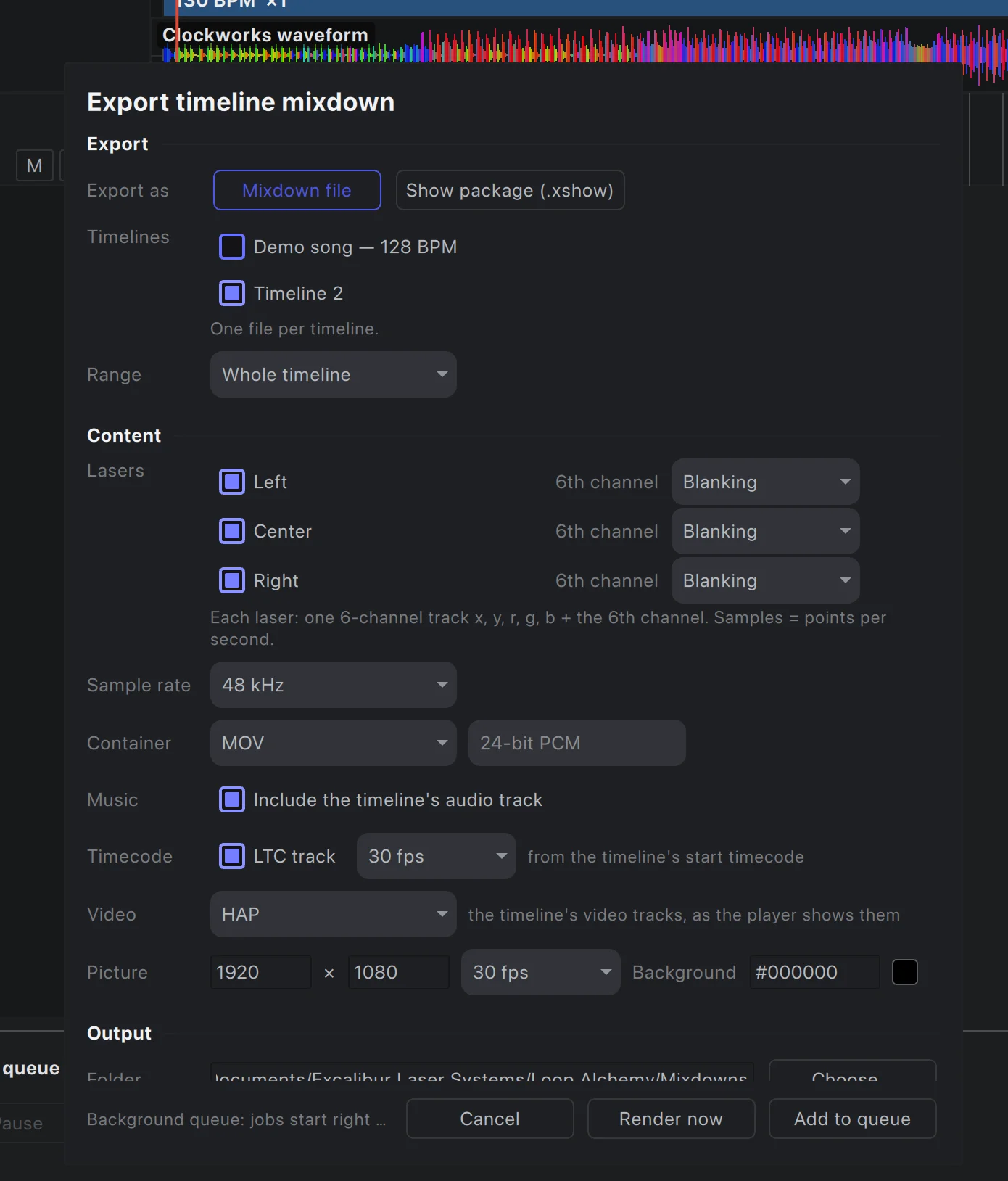
Pick one timeline or several and add them to the render queue. Loop Alchemy renders each to a single file in the background while you keep working.
- One 6-channel track per laser: position, colour and blanking
- Optional music and SMPTE LTC tracks
- Video tracks composited and encoded to HAP or ProRes
- Save as a mixdown file, or as a show package for the player
Render queue
Queue as many timelines as you like, reorder them, re-run them, and save export presets.
Offline rendering
Each render runs in its own low-priority background process, so editing, and even a live show, carries on.
Pause while armed
Optionally hold the queue whenever lasers are armed, and resume when you’re done.
Show packages
Laser tracks, music, LTC timecode and HAP or ProRes video in one file the player opens instantly.
Step two
Play it
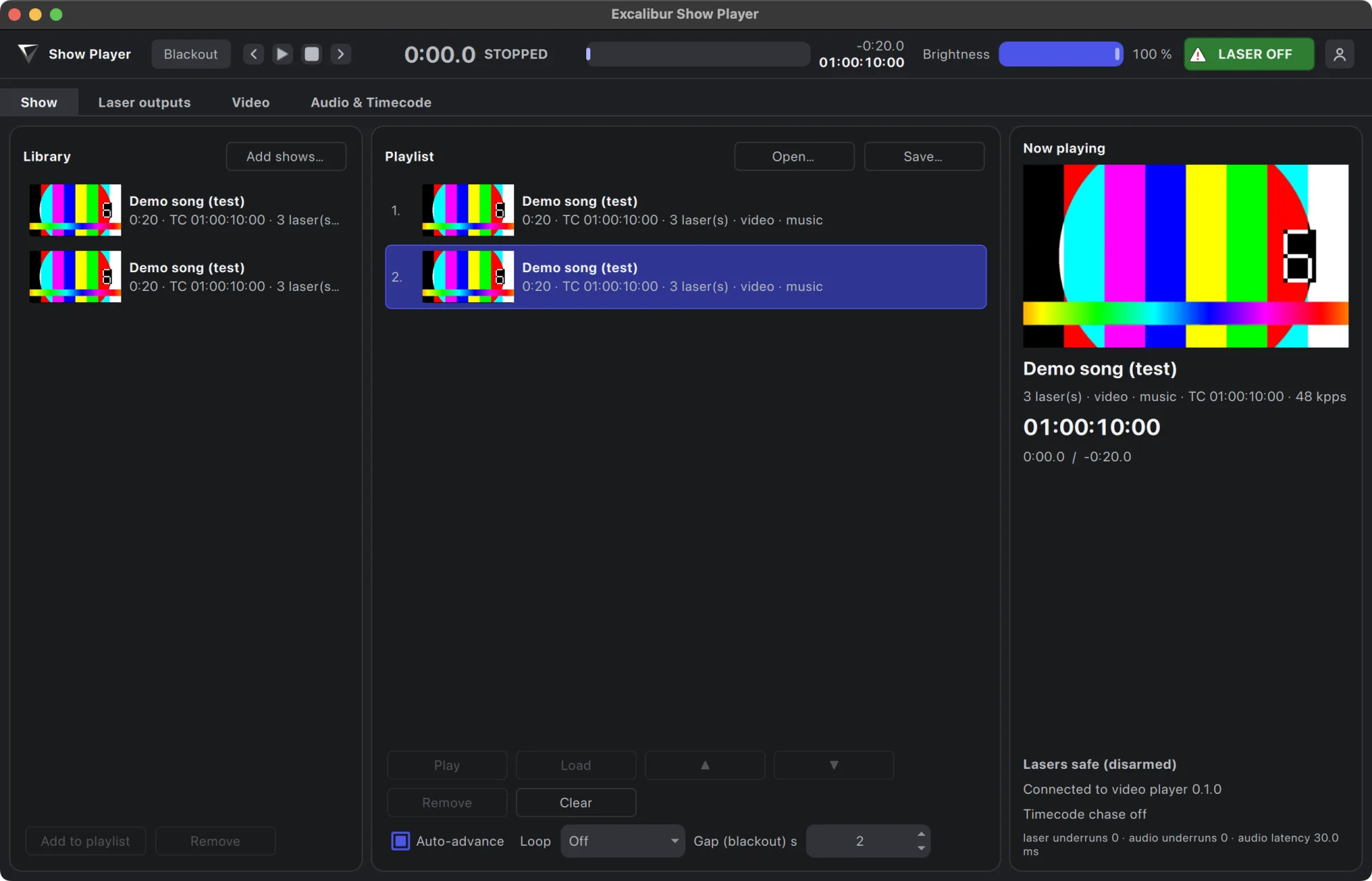
Show Alchemy opens show packages and plays them, locked to the timecode the rest of the room runs on.
Lasers, video and audio
One show file drives your lasers, the show’s video on fullscreen outputs, Syphon or Spout, and its soundtrack, all on one clock.
Time sync
Chase LTC, MTC or Art-Net timecode. The player picks the show whose timecode range is running and lands on the right frame.
Playlists
Line up shows in a playlist and run them in order, or let incoming timecode choose.
Safe by default
Starts disarmed, has a blackout, and a watchdog blanks any laser whose stream stops.
Cloud files
Sign in with your Laserworks account to pull your shows from the cloud, encrypted to your machine.
Coming soon
Your shows,
Upload a show from Loop Alchemy to your Laserworks account. Then download it to any player you sign in on.
Create your Laserworks account now.
It’s the same account you use for your licences.