The
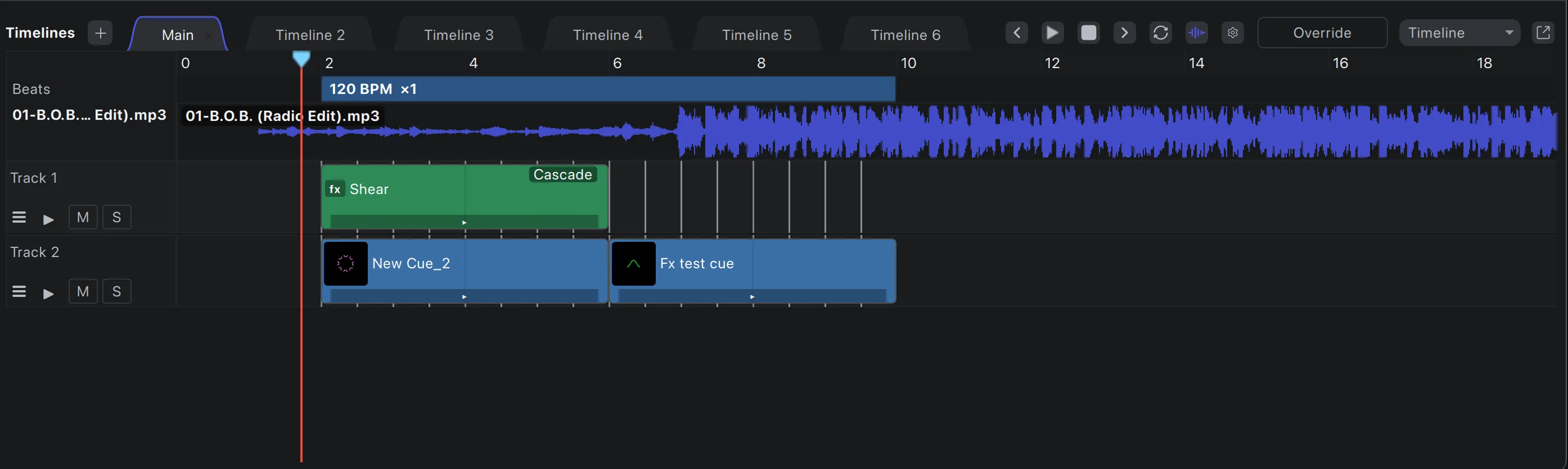
A real non-linear editor for laser shows. Cut lasers, effects and video on unlimited layers against the music’s waveform and beatgrid. Then perform it live, or render it out.
Built in
Tracks for lasers, effects and video, stacked as deep as the show needs.
Unlimited layers
Add as many tracks as the show needs. Laser tracks hold cues, effect tracks hold effects, video tracks hold footage.
Many timelines
Every song or scene gets its own timeline in a tab. Switch between them instantly.
Beats or seconds
Work musically in bars and beats, or in absolute time for theatre and corporate cues.
Additive or override
Layer a timeline over what you’re playing live, or let it take the whole output for a scripted section.
Mute, solo, opacity
Mute and solo any track, and automate each track’s opacity with keyframes.
Routing per track
Send a track or a single clip to a particular projector, zone or output template.
Video compositing
Video on the
Video tracks sit alongside your laser tracks and play in sync with them. Each clip composites onto the tracks below with its own blend mode, opacity and keyframed fades. Send the result to a preview window, fullscreen outputs, Syphon or Spout.
- HAP, HAP Q and HAP Alpha decoded straight to the GPU
- ProRes, H.264 and HEVC supported too
- Fade in and out, gain and bezier opacity keyframes per clip
- Rendered into exports alongside the lasers
25 blend modes
- Normal
- Darken
- Multiply
- Color Burn
- Linear Burn
- Lighten
- Screen
- Color Dodge
- Linear Dodge
- Add
- Glow
- Overlay
- Soft Light
- Hard Light
- Vivid Light
- Linear Light
- Pin Light
- Hard Mix
- Difference
- Exclusion
- Subtract
- Negation
- Reflect
- Phoenix
- Average
Group effects
One effect,
Effect tracks work like adjustment layers. Put one above a group of tracks and its effect, keyframes and all, shapes everything beneath it.
Cascade or contain
Let an effect track act on every track below it, or only down to the next effect track, so each group gets its own treatment.
Keyframable effects
Intensity, colour, geometry, 3D tilt, perspective, strobe and more, every parameter keyframable.
Nested timelines
Drop a whole timeline onto a track as one clip. Build a section once and reuse it across songs.
Waveforms and beatgrids
See the
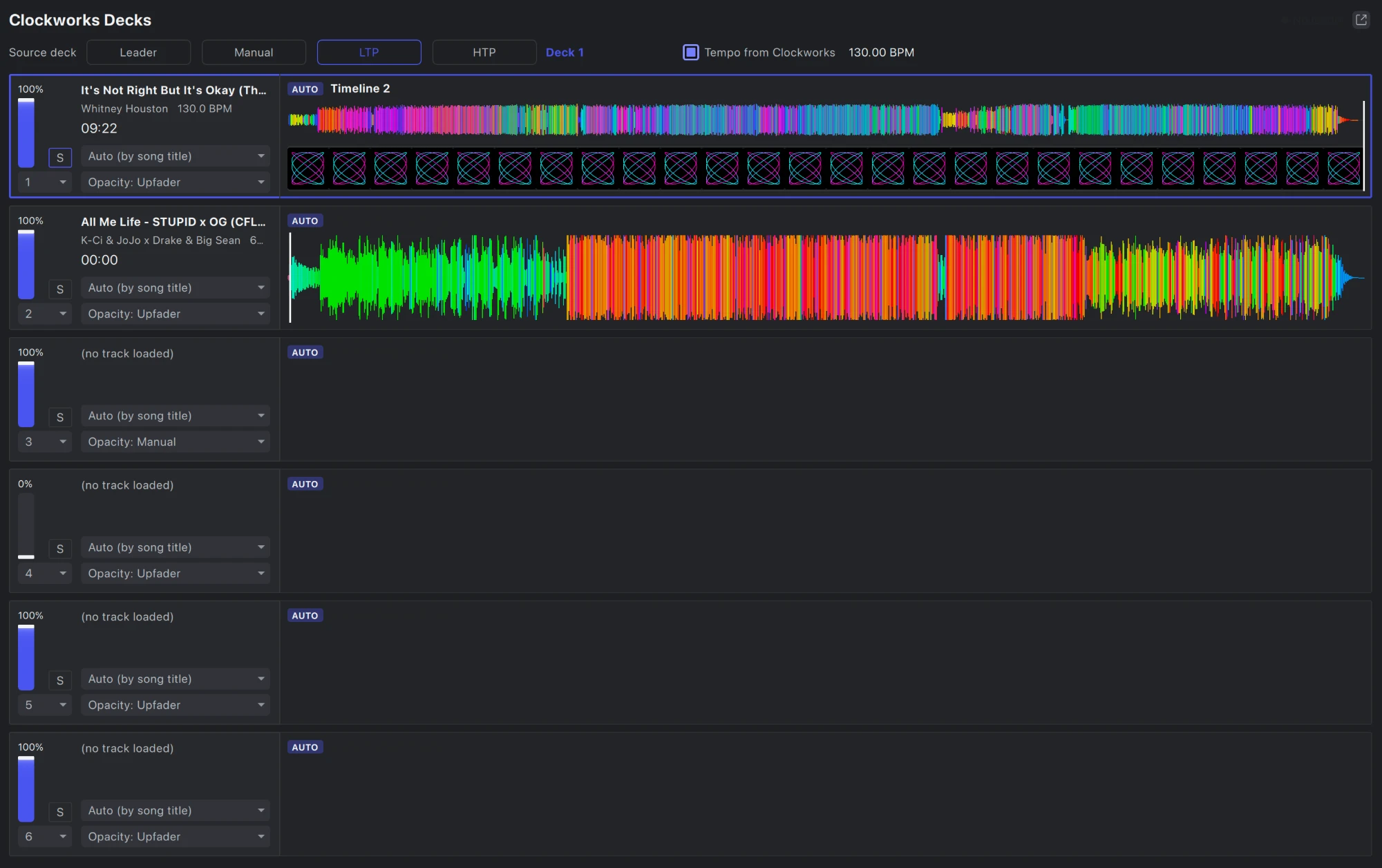
Every timeline carries its music and a detailed waveform drawn natively, so it stays sharp and fast from the whole song down to a single beat. Use Clockworks and you get its colour waveform, where the colour tells you the sound.
- Several tempo sections per timeline for songs that change speed
- Each section has its own BPM and subdivision
- Drag a section to move it; double-click to retime it
- Import the beatgrid from Clockworks in one click
Edit like an
The moves you already know from video editing, built for light.
Drag and drop
Drag cues from the cue list or timelines from their tabs onto a track. Drop video files straight from Finder or Explorer.
Cut, copy, paste, lock
Edit clips like any NLE, then lock the ones that are finished so nothing moves them by accident.
Looping clips
Extend a clip and choose whether it loops its cue or keeps running freely on the show clock.
Bezier keyframes
Keyframe any effect parameter, clip gain or track opacity, with smooth or linear keys and editable handles.
Markers
Drop named markers in eight colours. Clips and the playhead snap to them, and you can jump between them from the keyboard.
Snapping and undo
Clips snap to beats, bars, markers and each other. Every edit can be undone.
, no second tool
Switch a timeline to playlist layout and it becomes a running order: cue, duration, crossfade. Reorder the list and the whole show re-times itself.
Perform it, then
Record a live set and open it as a timeline: every cue you fired becomes a clip where you fired it. Tighten the timing, swap a look, and keep the take.
Timeline export
Render to a
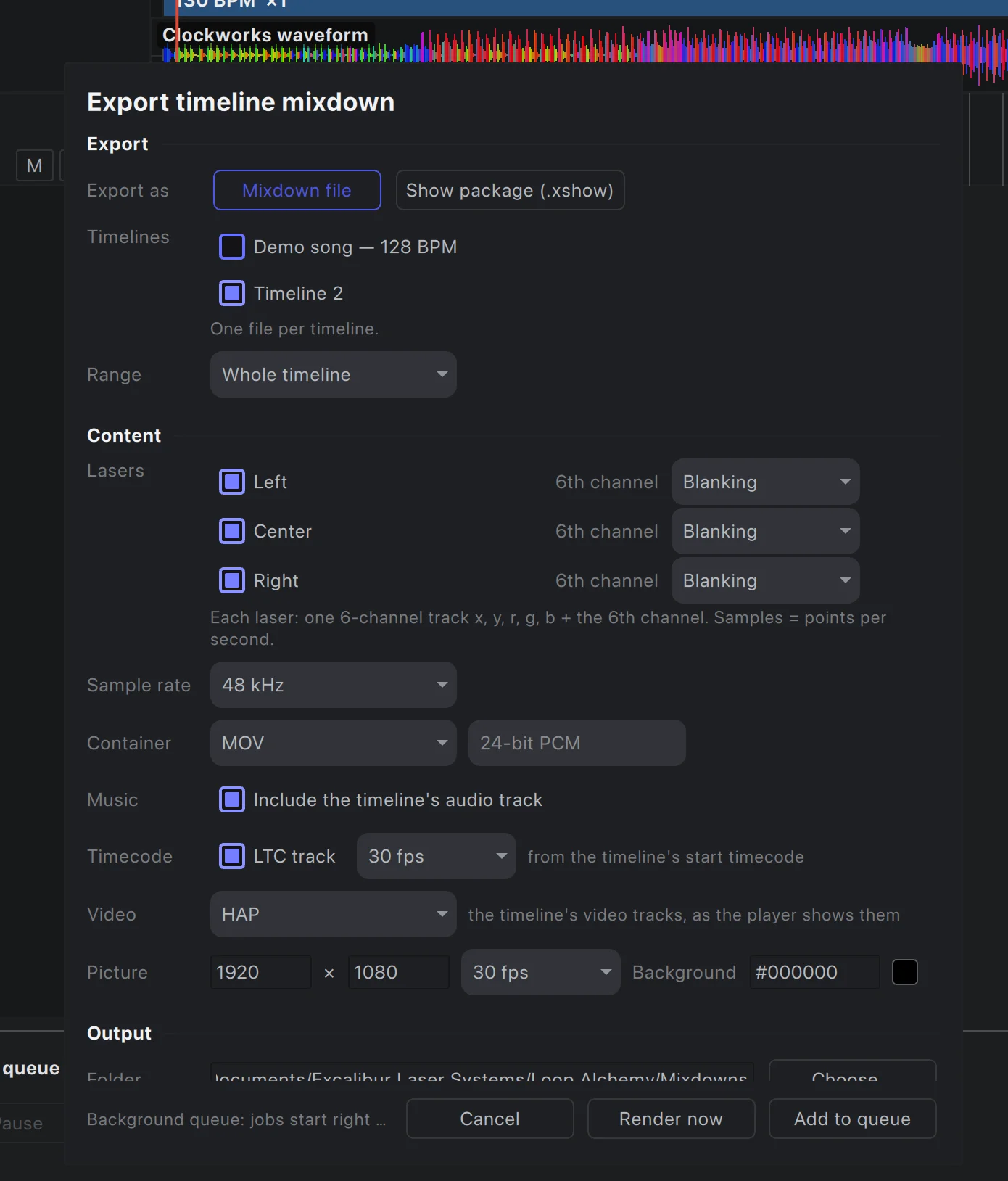
Export any timeline as a mixdown in MOV, MKV or WAV. Every laser gets its own track, alongside the music, LTC timecode and composited video. Or package it as a show for the standalone Show Alchemy.
- Add several timelines to the render queue at once
- Renders run offline in the background, at low priority
- 48 or 96 kHz laser tracks; HAP or ProRes video up to 60 fps
Arrange your next show
The timeline is part of Loop Alchemy, included with every licence.