The Next Gen
Laser show software for playing live and building shows. Busk a set from a grid of live cues, or arrange lasers and video on a real editing timeline. Lock either to the DJ or the timecode, on the hardware you already own.
Live
Busk it .
Play the rig like an instrument: pages of pads, beat-locked loops and effects on top, from the mouse, a controller or the lighting desk.
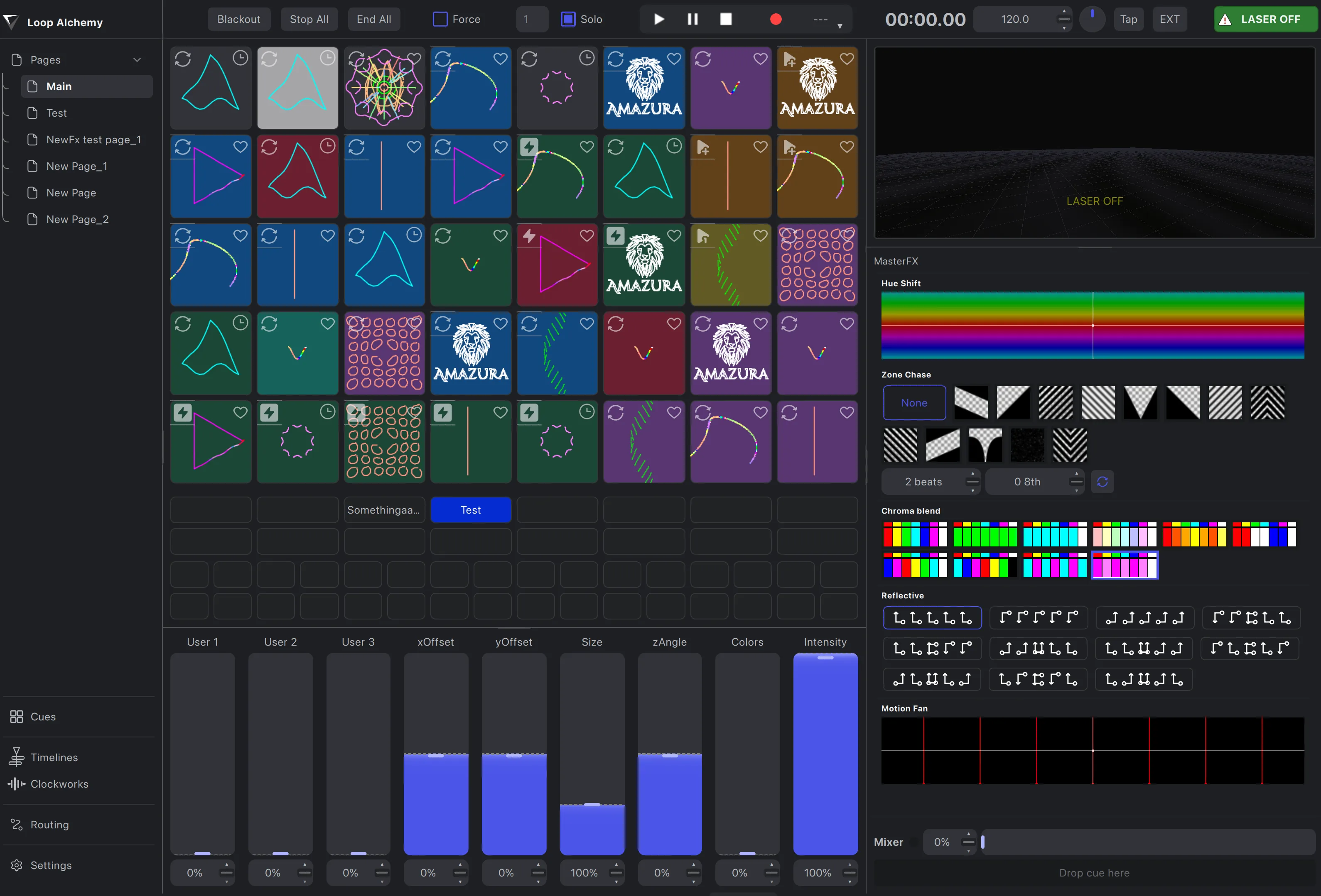
A grid of live pads
Forty pads a page, as many pages as the set needs. Every pad plays its cue in miniature, so you pick the look you can see.
Six trigger modes
Toggle, restart, duplicate, flash and solo flash: set per cue, per colour group, or force one mode across the grid.
Colour groups
Nine colour groups, each with its own trigger mode, and their colours light the pads on your controller.
Beat-locked loops
Loop cues follow the tempo. Tap it in, nudge it, or let Clockworks, Link or MIDI clock drive it.
Master effects
Chroma Blend, Hue Shift, Motion Fan, Reflective and Zone Chase reshape everything playing, live.
Crossfade cues
Send a cue to the mixer and fade or morph into it from a slider or a hardware fader.
Macro buttons
48 programmable buttons, each firing a list of commands: page changes, effect moves, blackouts, whatever the set needs.
Record the set
Record pad presses, slider moves and effect changes against show time, overdub, and play the performance back.
The Timeline
A full .
When a show needs to be the same every night, arrange it the way editors cut a film: tracks, clips, keyframes and markers against the music's waveform and beatgrid. Then run it live, or render it out.
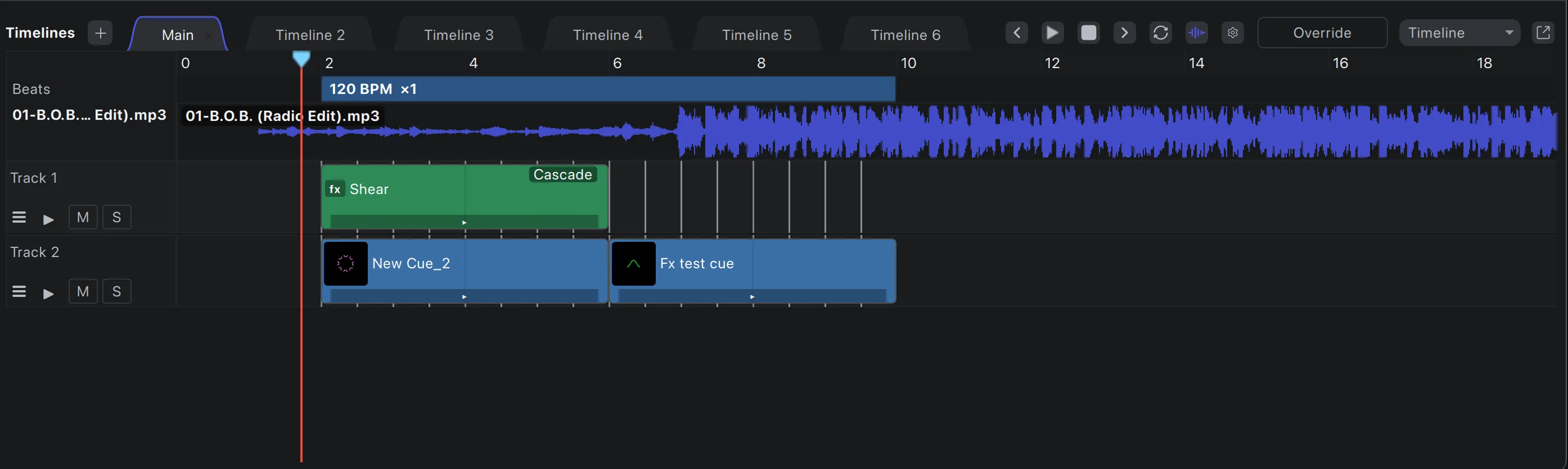
Unlimited layers
Stack as many laser, effect and video tracks as the show needs, across as many timelines as you like.
Video compositing
Video tracks play HAP and ProRes alongside your lasers, with 25 blend modes, opacity and keyframed fades.
Group effects
Effect tracks work like adjustment layers: one effect shapes every track beneath it. Nest whole timelines as clips.
High-fidelity waveforms
Detailed waveforms for your music, or Clockworks’ colour waveforms, crisp at every zoom level.
Adjustable beatgrids
Several tempo sections per timeline, each with its own BPM and subdivision. Drag them into place or import from Clockworks.
Drag-and-drop cues
Drag any cue onto a track and it snaps to the grid. Trim, loop, copy, paste and lock clips like any editor.
Keyframes and markers
Bezier keyframes on every effect and opacity, plus colour-coded markers the playhead and clips snap to.
Timeline export
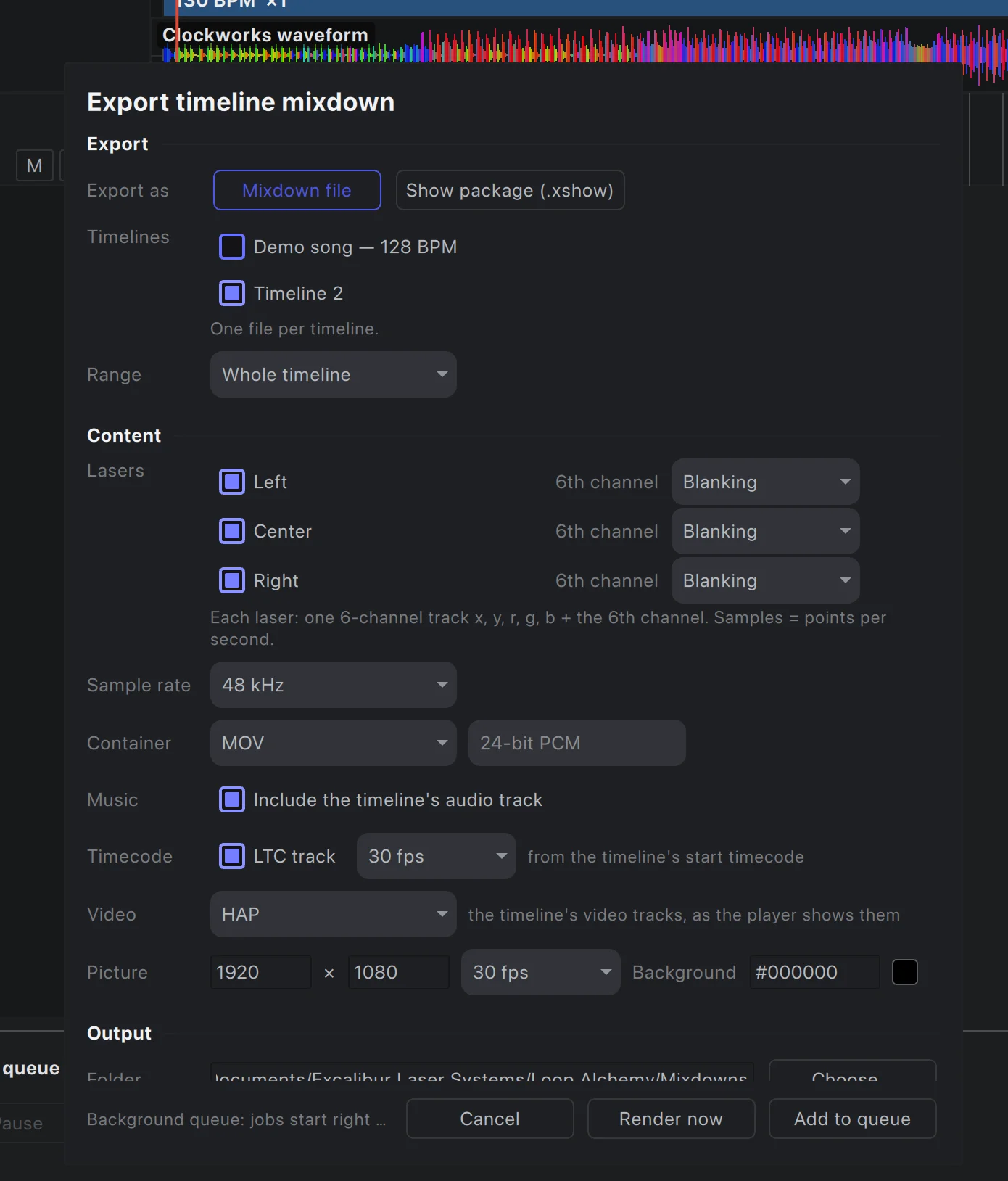
Render a timeline to a file with laser tracks, music, timecode and video, or package it as a show.

Locked to the
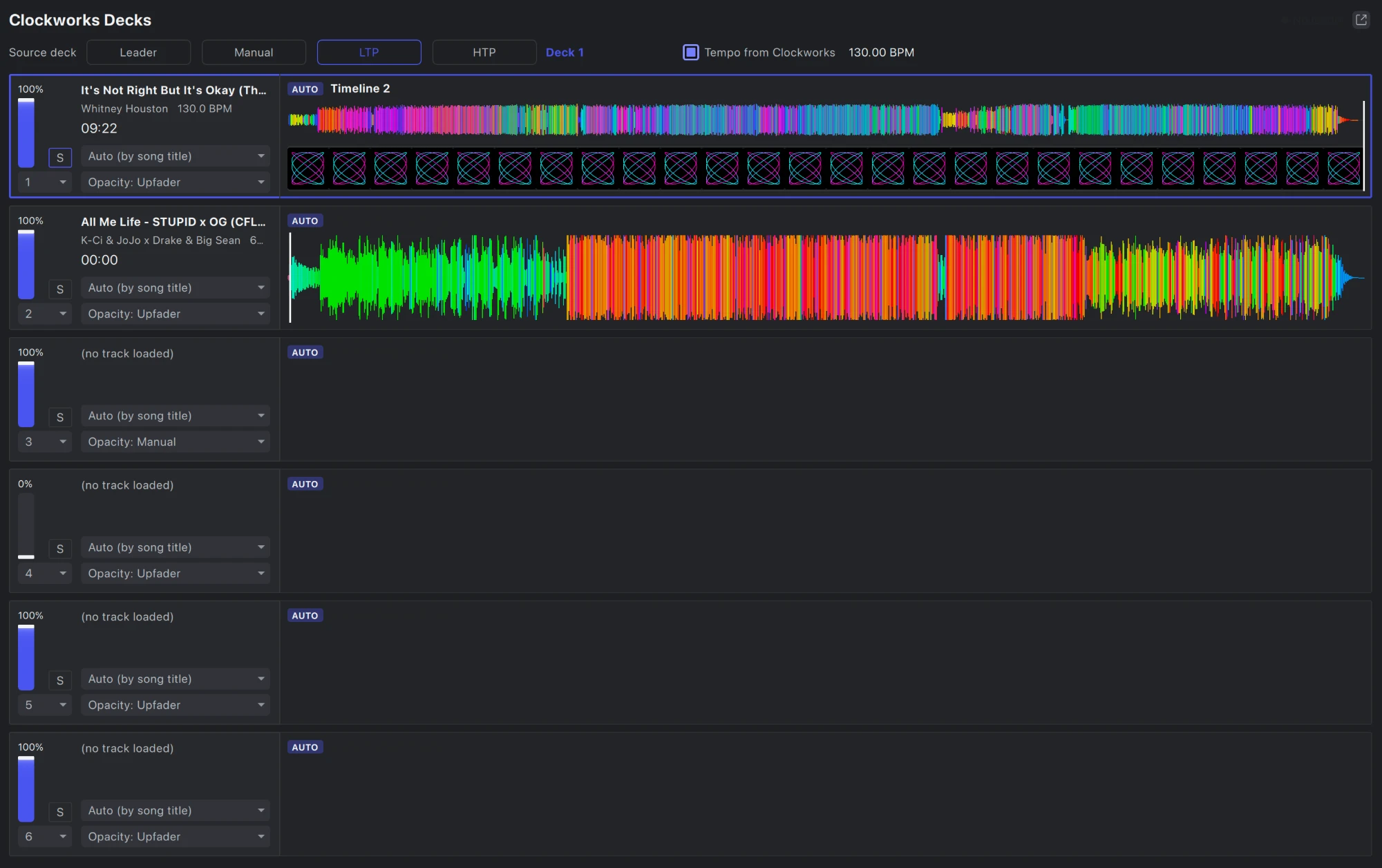
Loop Alchemy reads Clockworks natively. Every deck brings its tempo, beat and position, and loads the timeline that matches its track. As the DJ mixes, the timelines blend with the faders.
- BPM and beat drive the show tempo
- Time sync: each deck plays its timeline at the deck’s exact position
- Blend timelines across six decks by upfader, crossfader or by hand
- Import the track’s waveform and beatgrid straight onto the timeline
Every you play to.
Chase the clock the venue runs on, from DJ booths to theatre timecode.
Clockworks
BPM, beat and position from the DJ software, deck by deck.
SMPTE timecode
Chase LTC, MTC or Art-Net timecode, with a start time per timeline.
Ableton Link
Share tempo and bar phase with music software on the network.
MIDI clock and tap
Follow a MIDI clock, or tap the tempo in by hand.
Output
Drive the rig
Mix DAC brands in one show and hand off to Pangolin BEYOND. Pre-visualise in Depence² or a headset before the first beam leaves the lens.
Broad DAC support
Ether Dream, Helios, LaserCube over USB and network, IDN, JMLaser and sound-card DACs, side by side in one show.
Pangolin BEYOND
Stream straight into BEYOND zones and the Pangolin hardware they drive. Already set up in BEYOND? Bring your zones across, geometry corrections included.
Depence²
Send every output into a Depence² scene to pre-program and present shows before you reach the venue.
LaserViz for headsets
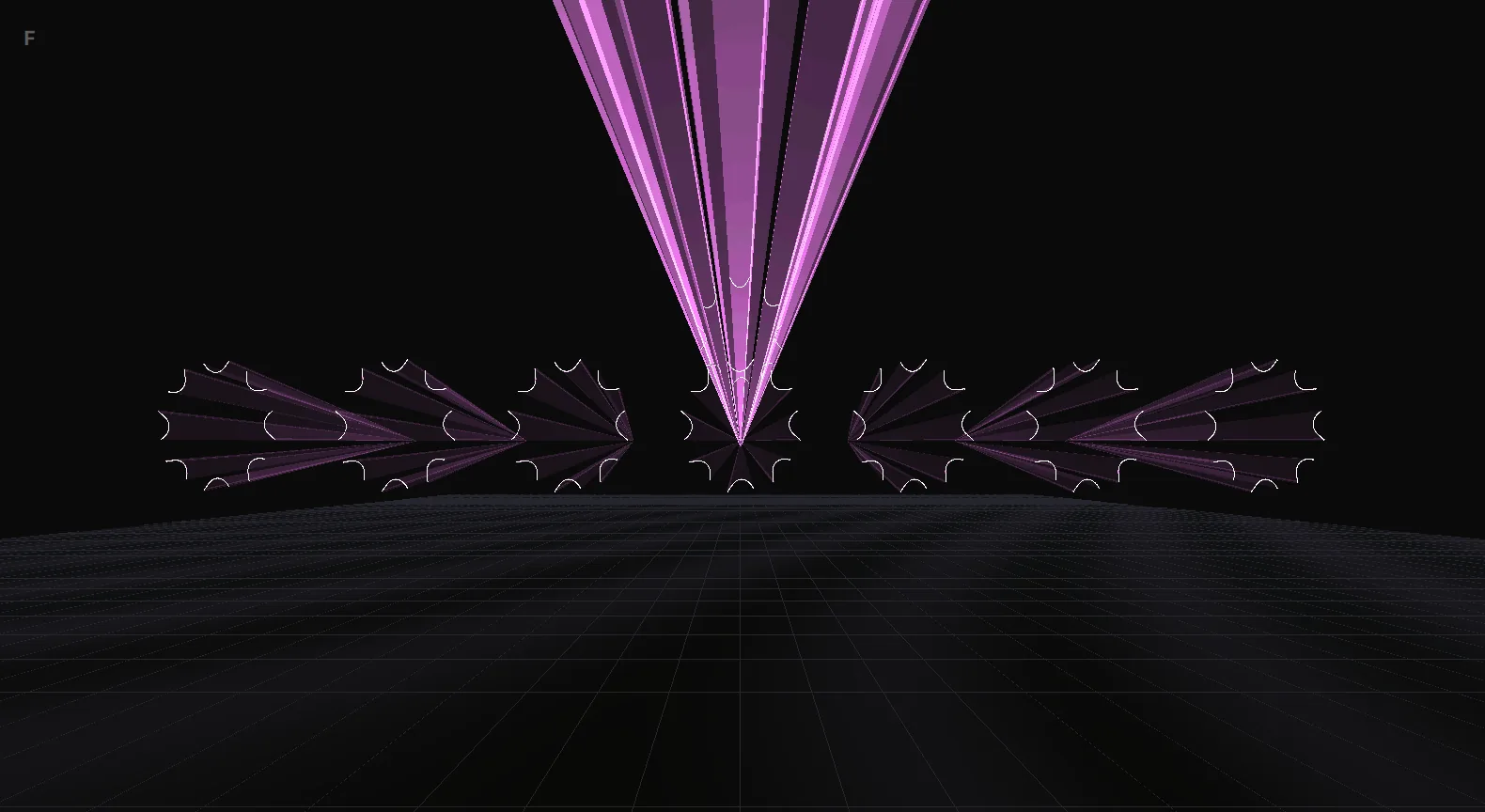
See your show as volumetric beams in your room or a virtual venue, live, on Apple Vision Pro.
Content
Generate, draw,
Build looks from generators and oscillators, bring in ILDA frames, and draw your own in Paint Alchemy.
Pluggable generators
Generators are plugins: abstract oscillator figures, shapes and text ship in the box, and more can be added.
Oscillators everywhere
Modulate any cue parameter with a beat-synced oscillator, with its own envelope and waveform.
ILDA frames
Import the ILDA frames and animations you already have, and export your own cue tracks back to ILDA.
Paint Alchemy
An authoring tool
Paint Alchemy is a full laser frame editor inside Loop Alchemy. Draw, trace and animate in layers, and work in 3D. An AI assistant can help too, through its built-in MCP server.
- Lines, splines, shapes, beams, freehand, text and stamps
- True 3D frames: extrude, rotate and scale in depth
- Built-in MCP server for AI-assisted drawing
- Edits your workspace frames directly, no export step
Render and play
Render it.
Queue timelines for offline rendering and keep working while they render in the background. Each one becomes a single show file the standalone Show Alchemy can run.
- Render queue: renders run in a separate low-priority process
- Laser tracks, music, LTC timecode and HAP or ProRes video in one file
- Show Alchemy plays lasers, video and audio, chasing timecode
- Cloud files: keep your shows in your Laserworks account (coming soon)
Two licences.
Subscribe per DAC output and pay for what you run. Or buy once, and drive every output your hardware can handle.