Trace
Turn images, video and artwork into laser frames. Trace the shapes, shape the points for real scanners, and export ILDA.
From film to
Every frame of a clip, traced on its own and turned into laser paths.
Everything between a picture and
Import, clean up, trace and tune, in one window.
Bring in anything
Images, video, GIFs, SVG, DXF, HPGL, Flash and PDF artwork, or existing ILDA files.
Outline or centreline
Trace the edges of shapes, or a single line through their middle for line art and lettering.
Clean the picture first
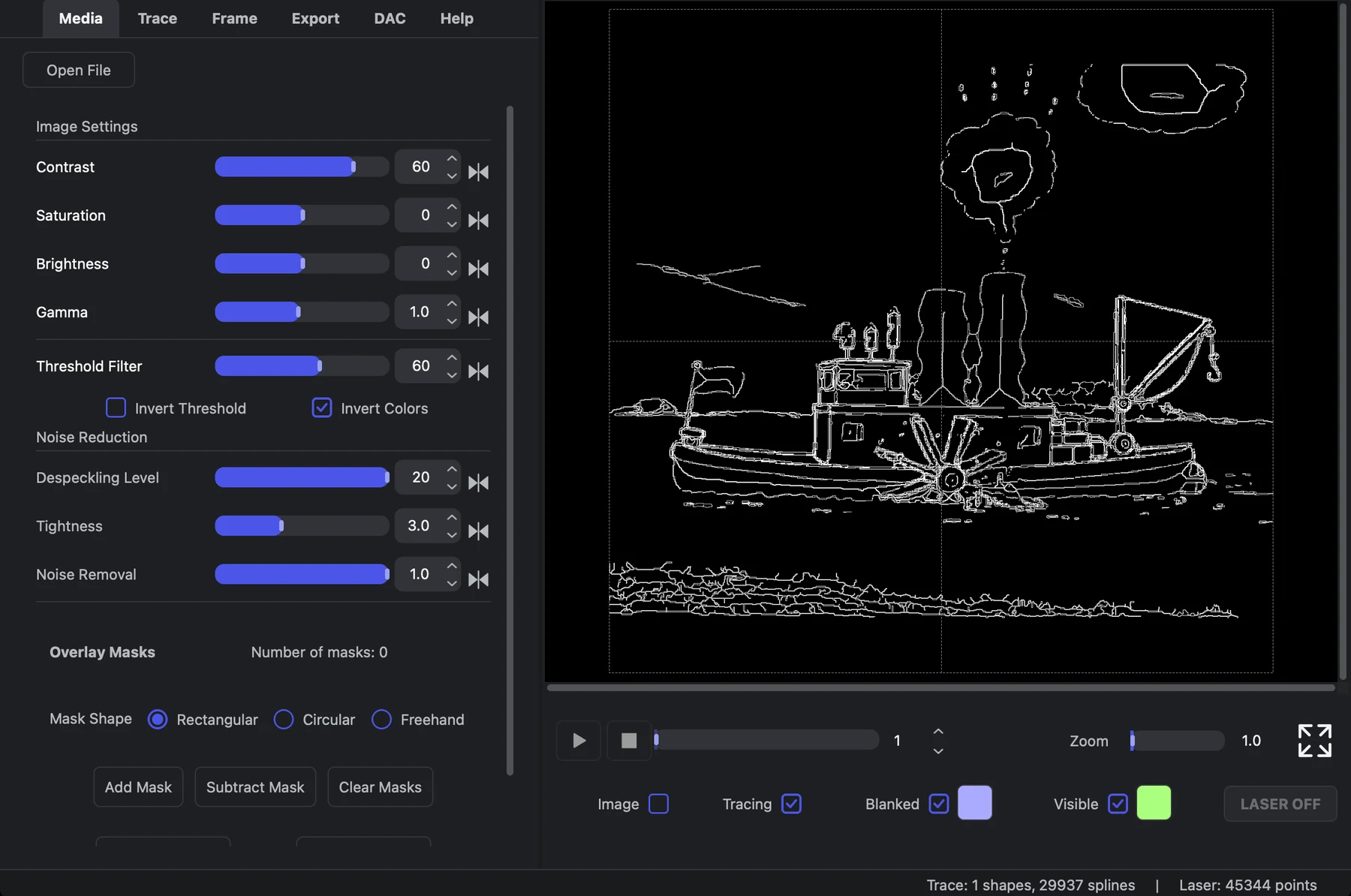
Contrast, brightness, gamma and threshold, plus despeckling and noise removal before the trace.
Masks
Draw rectangular, circular or freehand masks to keep or cut parts of the frame.
Built for scanners
Set the point budget, segment lengths and blanking, and let it optimise the path order.
ILDA out, laser on
Export 2D or 3D ILDA, or watch the result on a real laser from the DAC tab.
Workflow
Into your
Trace a logo, a photo or a whole clip, then bring the frames into Loop Alchemy as cues, or touch them up in Paint Alchemy first.
- ILDA files open in Loop Alchemy and Paint Alchemy
- Videos and GIFs come out as frame-by-frame animations
- The same settings for every frame, so a clip stays consistent
Trace Alchemy Trace it Paint Alchemy Touch it up
 Loop Alchemy Play it