Loop
Laser show software for people who perform and edit. Busk a set live from the pads, or build the show on a timeline locked to the DJ or the timecode, and render it for the road.
Live
Busk it .
Play the rig like an instrument. Fire cues from the pads, a controller or the lighting desk, with loops locked to the beat and effects on top.
Pads that preview themselves
Every pad plays its cue in miniature, so you pick the look you can see. Forty a page, as many pages as you need.
Six trigger modes
Toggle, restart, duplicate, flash and solo flash. Set them per cue or per colour group, or force one mode across the grid.
Colour groups
Nine colour groups, each with its own trigger mode. Their colours light the pads on your controller.
Beat-locked loops
Loop cues run in beats and follow the tempo: tap it, nudge it, or hand it to Clockworks, Link or MIDI clock.
Master effects on top
Chroma Blend, Hue Shift, Motion Fan, Reflective and Zone Chase reshape everything that’s playing.
Crossfader
Send a cue to the mixer and fade or morph into it from a slider or a hardware fader.
Macros and endings
48 programmable buttons fire lists of commands. A beat-timed ending takes the whole rig out cleanly.
Record the performance
Record pad presses, sliders and effect moves against show time, overdub more, and play it back.
Fire it from anywhere
MIDI controllers
Ready-made profiles for the APC40 (mk1 and mk2) and Stream Deck, with the pads lit in their group colours.
DMX
Take DMX from the lighting desk over Art-Net, sACN or a USB interface, and map channels with learn mode.
OSC and UDP JSON
Drive Loop Alchemy from tablets, show control and your own software.
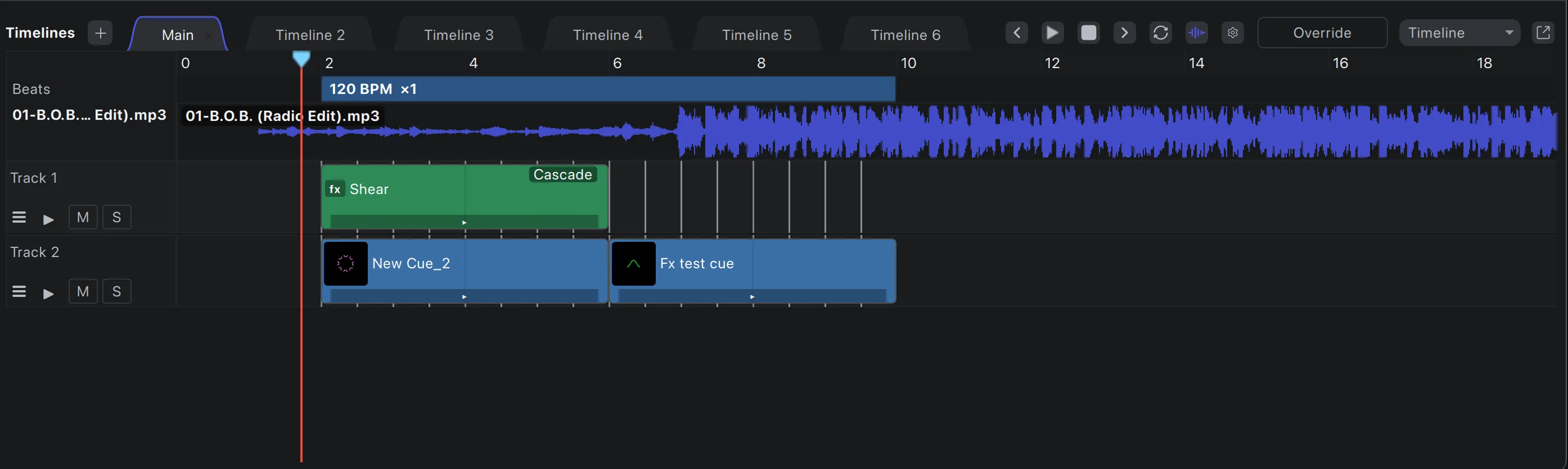
The Timeline
An NLE for
Arrange cues, effects and video on unlimited layers against the music’s waveform and beatgrid.
- Video compositing with 25 blend modes
- Group effects with effect tracks and nested timelines
- High-fidelity waveforms and adjustable beatgrids
- Drag-and-drop cues, keyframes, markers, cut, copy, paste and lock
- Export to a mixdown file or a show package
Sync
Locked to the
From DJ booths to theatre timecode, Loop Alchemy follows whatever the show runs on.
Clockworks
The DJ’s BPM becomes the show tempo, each deck plays its own timeline in time, and the mixer blends them.
LTC, MTC and Art-Net timecode
Chase SMPTE timecode from the desk, the DAW or the network, with a start time per timeline.
Ableton Link
Join a Link session and share tempo and bar phase with music software.
MIDI clock, OSC and tap
Follow a MIDI clock, set the tempo over OSC, or tap it in.
Tempo that bends
Change BPM mid-show and every cue carries on from where it was, without jumping back to the start.
Beat-locked everything
Cues, effects and oscillators all run from one beat clock, so the whole rig stays in phase.
Output and visualisation
Every beam,
Real lasers, Pangolin BEYOND, Depence² and a headset, from the same show.
DACs, side by side
Ether Dream, Helios, LaserCube over USB and network, IDN, JMLaser and sound-card DACs, all in one show.
Pangolin BEYOND
Stream straight into BEYOND zones and the Pangolin hardware they drive. Already set up in BEYOND? Bring your zones across, geometry corrections included.
Zones and routing
Map content to zones and virtual zones, spread one look across projectors, and save setups as output templates.
Depence²
Feed every output into a Depence² scene to programme and present shows before you’re on site.
LaserViz on Apple Vision Pro
Put on the headset and see the show as volumetric beams in your room or a virtual venue, live.
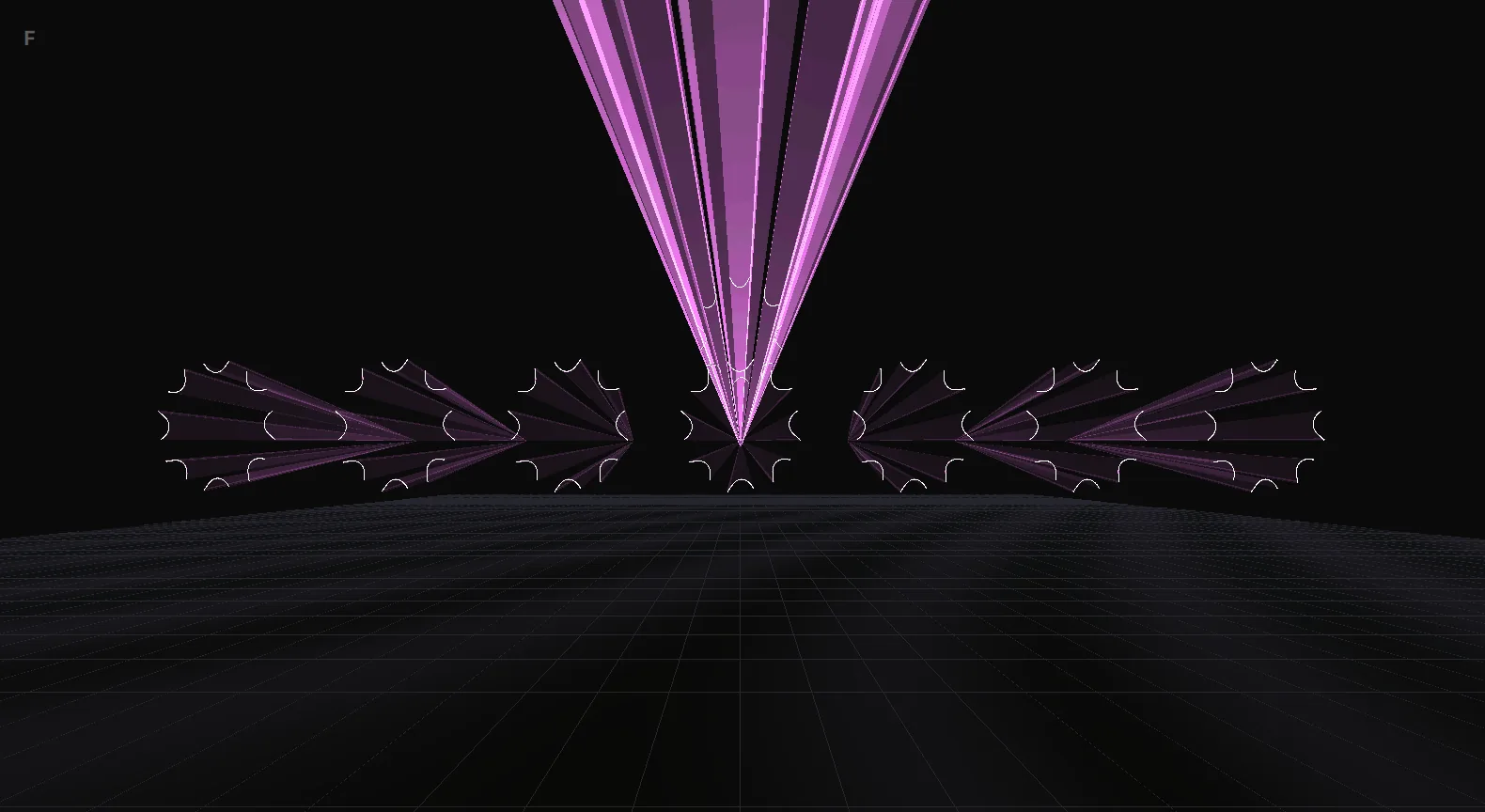
3D preview
A real-time 3D beam preview inside Loop Alchemy, so you can build a show with no lasers connected.
Content
Generate, draw,
Build looks from plugins and oscillators, or bring in the frames you already have.
Pluggable generators
Generators are plugins. Oscillator figures, shapes and text ship in the box; new ones drop into a folder.
Oscillators
Modulate any parameter with a beat-synced oscillator, each with its own waveform and envelope.
ILDA frames
Import the ILDA frames and animations you already own, and export cue tracks back to ILDA.
Effect chains
Stack effects on a cue, a zone or the whole output, with motion curves and presets throughout.
Presets
Save envelopes, effect chains, gestures and macros as presets and reuse them across shows.
Open files
XFB banks and JSON workspace and timeline files you can read, back up and version.
Paint Alchemy
Author your own
A full laser frame editor, built in. Draw in layers, trace images and build true 3D frames. An embedded MCP server lets an AI assistant draw alongside you.
Meet Paint Alchemy
Render and play
Render offline.
The render queue turns timelines into files in the background while you keep working. Package them as shows and run them in the standalone Show Alchemy, locked to timecode.
Show Alchemy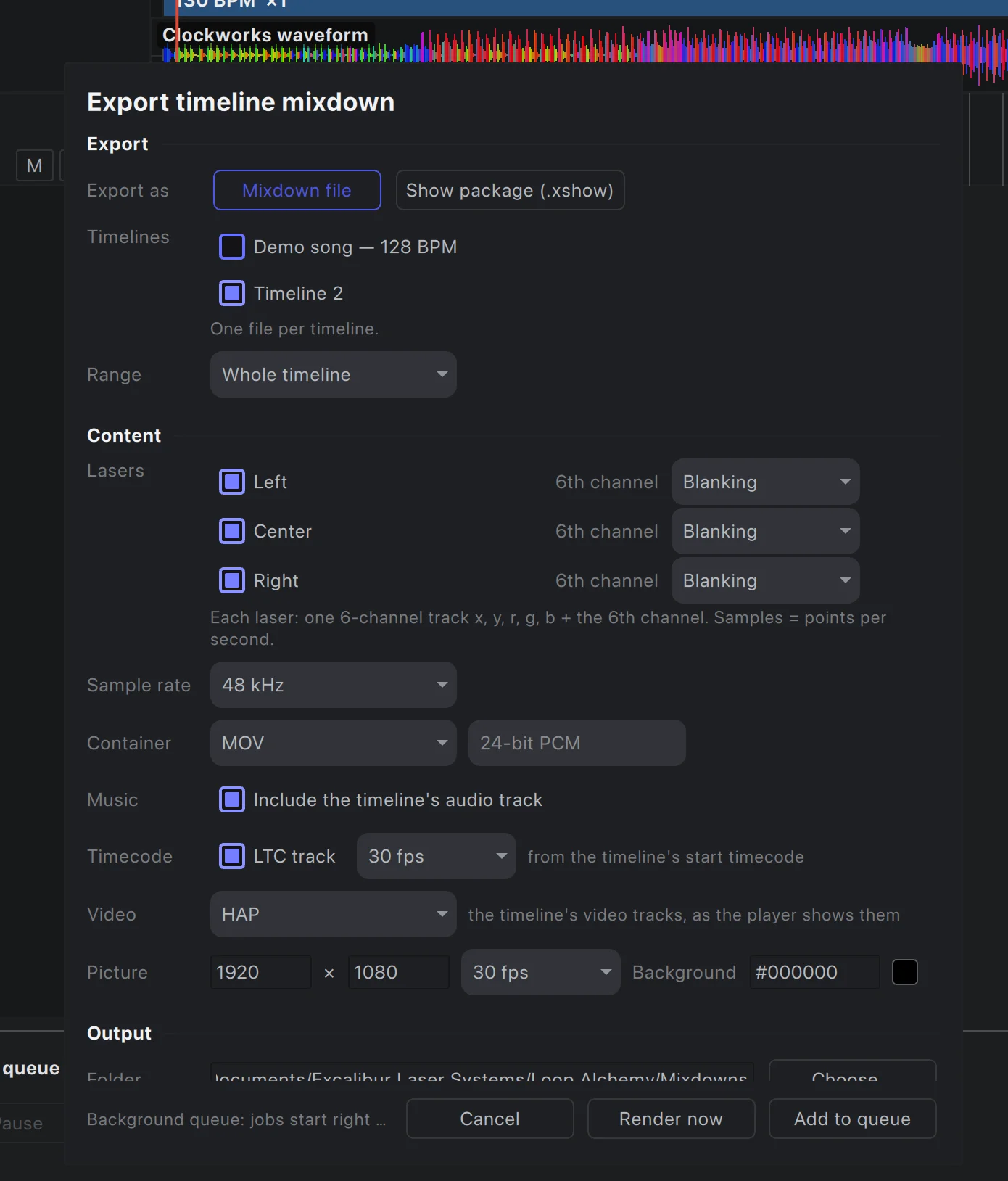
Screenshot
Click any image to view it full size.
Where technology meets
$10 a month per DAC output, or $750 once for unlimited outputs.